


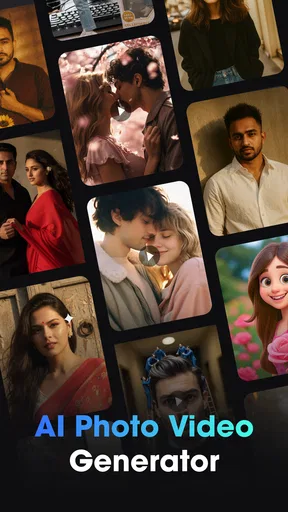

Vidix-AI Photo Video Generator review
 Analysis by GetAllApps
I see Vidix as a quick creative playground rather than a full photo or video editor. Its appeal is the chance to turn an ordinary image into something more stylized, then carry that look into short-form visual content. That makes it worth a look if you enjoy experimenting with AI art and social-ready effects. It is less compelling if you need precise control, dependable continuity across a project, or a traditional editing workflow.
Where Vidix makes its case
Vidix is an art and design app from Supercool Labs, built around AI-generated photos and video, with filters, effects and 3D-inspired art styles at its core. I like that combination because it gives casual creators a low-pressure way to explore visual ideas without beginning with a blank canvas. The app is free to install, rated for Everyone, and has an average rating of 4.2 from around 116,000 ratings, alongside more than 10 million installs. Those figures suggest it has reached a broad audience, though popularity alone does not guarantee that its output will suit every taste.
The key strength is the jump from a familiar photo to a more expressive treatment. In a conventional editor, I might adjust color, contrast and sharpness before deciding whether the image feels interesting. Vidix is better approached in reverse: start with a subject that already has a clear shape or mood, try a visual direction, and judge whether the transformation adds character rather than merely adding decoration. Portraits, pets, travel snapshots and simple object photos are natural starting points because the main subject is easy to read.
That distinction matters. AI styling can make a strong image feel fresh, but it can also overwhelm a busy one. If a picture contains several competing subjects, tiny details or a cluttered background, an elaborate treatment may make the result harder to understand. My practical advice is to crop before experimenting when the focal point is not obvious. A tighter composition gives the effect less visual noise to work against, and it also makes it easier to compare different looks fairly.
The photo and video focus makes Vidix more useful than a filter app that stops at still images. A still image can be a finished post, while a video treatment can give a clip a different tone for a story or a short creative share. The two formats also invite different expectations: a stylized photo only needs to work as one frame, while a video has to remain appealing as it moves. I would therefore judge a video result by whether the look stays readable through the clip, not just by how striking its opening moment appears.
One workflow I find sensible is to make a small set of versions from the same source image before choosing a final direction. That is more revealing than judging a style against unrelated pictures, because the subject stays constant while the visual treatment changes. If the same face or object remains recognizable across options, the effect is serving the image; if every version obscures it, the style may be doing more work than the composition can support. This simple comparison also helps avoid settling for the first flashy result.
For everyday use, imagine taking a clear photo of a friend’s dog in good light and wanting something more playful than the original for a message or social post. I would first crop out distracting edges, then try a few distinct treatments rather than stacking effects indiscriminately. The best result is likely to be the one that preserves the dog’s expression while giving the image a noticeable new mood. That approach makes the app feel like a creative choice, not a machine that automatically improves every picture.
Creative variety comes with a trade-off
AI effects are strongest when the user is open to interpretation. If I want an exact retouch, a carefully matched color palette, or a consistent visual identity across many images, a dedicated editor usually gives me more dependable control. Vidix’s attraction is experimentation; the trade-off is that an evocative result may not be a predictable one. That is not necessarily a flaw, but it changes the right way to use the app: treat it as a source of visual options, not as a precision tool.
The same applies to video. A look that flatters a single frame may not work equally well throughout a moving clip. Before sharing, I would watch the entire result and check whether important details remain visible, whether the effect feels coherent from beginning to end, and whether the subject still reads clearly on a small screen. This review step is especially useful when the clip is meant to communicate something specific, rather than simply entertain with an unusual style.
Another useful habit is to keep the original image available while testing. Stylized outputs can be fun, but they may shift the character of a photo enough that the unedited version remains the better choice for a family memory, a profile picture or a practical announcement. Keeping both versions lets me separate “interesting” from “useful.” I would not assume that more dramatic automatically means better; sometimes a restrained treatment is the one I actually want to share.
Vidix is free to download, but it includes in-app purchases ranging from $0.99 to $79.99 per item. I would explore the free experience first and decide whether the styles and workflow genuinely fit my habits before spending. The broad price range makes it especially sensible to pause at any purchase screen and check exactly what an item offers. If I only want to make an occasional playful image, paying for extras may not be worthwhile; regular creators may judge that differently if a particular option becomes part of their routine.
How it compares with familiar editing choices
Compared with a standard mobile photo editor, Vidix appears oriented more toward transformation than correction. A conventional editor is generally the better choice when I want to crop precisely, tune exposure, keep skin tones natural, or make a series of images look consistent. Vidix makes more sense when the goal is to see a familiar picture in an imaginative style, or to give a short clip a more distinctive visual identity. These are different jobs, so I would not replace one kind of app with the other automatically.
It also occupies a different space from drawing and illustration tools. Someone who wants to build an image layer by layer, control each mark, or develop a carefully composed piece may find an AI-style generator too indirect. Vidix is more appealing when I have an image already and want to explore what it might become. That makes the learning curve approachable in spirit, even if the actual outcome still depends on choosing suitable source material and being willing to test alternatives.
For creators who publish often, the most valuable use may be brainstorming rather than final production. I can imagine using a stylized version to test a mood, then recreating that direction with more controlled tools if the post needs consistency. For a one-off invitation, personal message or playful avatar experiment, the generated look may be enough on its own. For a business identity or a set of campaign assets, I would favor tools that make repeatable output and detailed adjustments central to the workflow.
Who should give it a try
I would recommend Vidix to casual creators who like visual surprises, enjoy trying different looks on their own photos, and want an approachable route into AI-driven art and video. It is a particularly good fit for someone who makes occasional social content and values variety more than exact control. The app is also a reasonable choice for curious beginners: you can start with a photo you already have, see how an effect changes its mood, and learn what kinds of subjects work well without first mastering a complex editing suite.
I would steer away from it if your priority is faithful photo restoration, detailed manual retouching, precise typography, or a polished editing pipeline with predictable results. It is also not my first pick when every frame of a video must preserve a specific look or when a project depends on tightly matching earlier artwork. In those situations, conventional editors or illustration software offer a more deliberate process. Vidix can still help with ideation, but I would not make it responsible for accuracy it is not designed to promise.
Compatibility is another practical point to check before planning a workflow around it: the current version is 1.3.0 and requires Android 7.0 or later. If your device meets that requirement, I would still treat the app as something to test with a low-stakes image first. That reveals whether its style suits your own photos before you spend time preparing a larger batch or relying on it for a particular post.
A measured verdict for creative explorers
Vidix earns its place as a playful art and design app because it invites experimentation with both photos and video. Its best results are likely to come when the source image is clear, the chosen style supports the subject, and the user is happy to compare options instead of expecting one-click perfection. I appreciate that it can make a routine image feel more personal, but I would keep a standard editor nearby for precise fixes and consistent work.
The app was released on November 27, 2025, and its current version is 1.3.0. I would not choose it because of a promise that every transformation will be usable; I would choose it because trying a different visual direction can be enjoyable, and sometimes that experiment produces exactly the mood I wanted. With a 4.2 average rating, it has a strong audience, but the right fit still depends on whether you prefer creative surprise or hands-on control.
My recommendation is simple: try Vidix if you want a fast way to play with AI-styled images and clips, and approach it as a companion for ideas rather than a replacement for a full editor. Start with a clean, well-framed photo, compare a few treatments, review video from beginning to end, and keep the original when authenticity matters. If that balance sounds appealing, Vidix is worth exploring; if consistency and fine adjustments matter more, another kind of editing app will serve you better.
Pros and cons
Pros
- AI effects can turn ordinary photos into short animated clips.
- The generator makes it easy to create content without editing skills.
- A range of templates helps users try different visual styles.
- Short clips are convenient to share on social platforms.
- Photo-based animation offers a fresh way to reuse existing images.
Cons
- Results can vary in quality depending on the source photo.
- Some effects may require a paid subscription or credits.
- Processing can take time when servers are busy.
- Generated animations may not always match the intended look.
- Uploading personal photos may raise privacy concerns.


